Run hire, AV and event jobs from quote to invoice in one system

Amecore keeps your quotes, gear, crew, repairs, safety paperwork and Xero in one web app that your office and your crew both use. Built by an Australian production company for the way this industry actually works.

Amecore runs in any browser and installs on phones like an app.

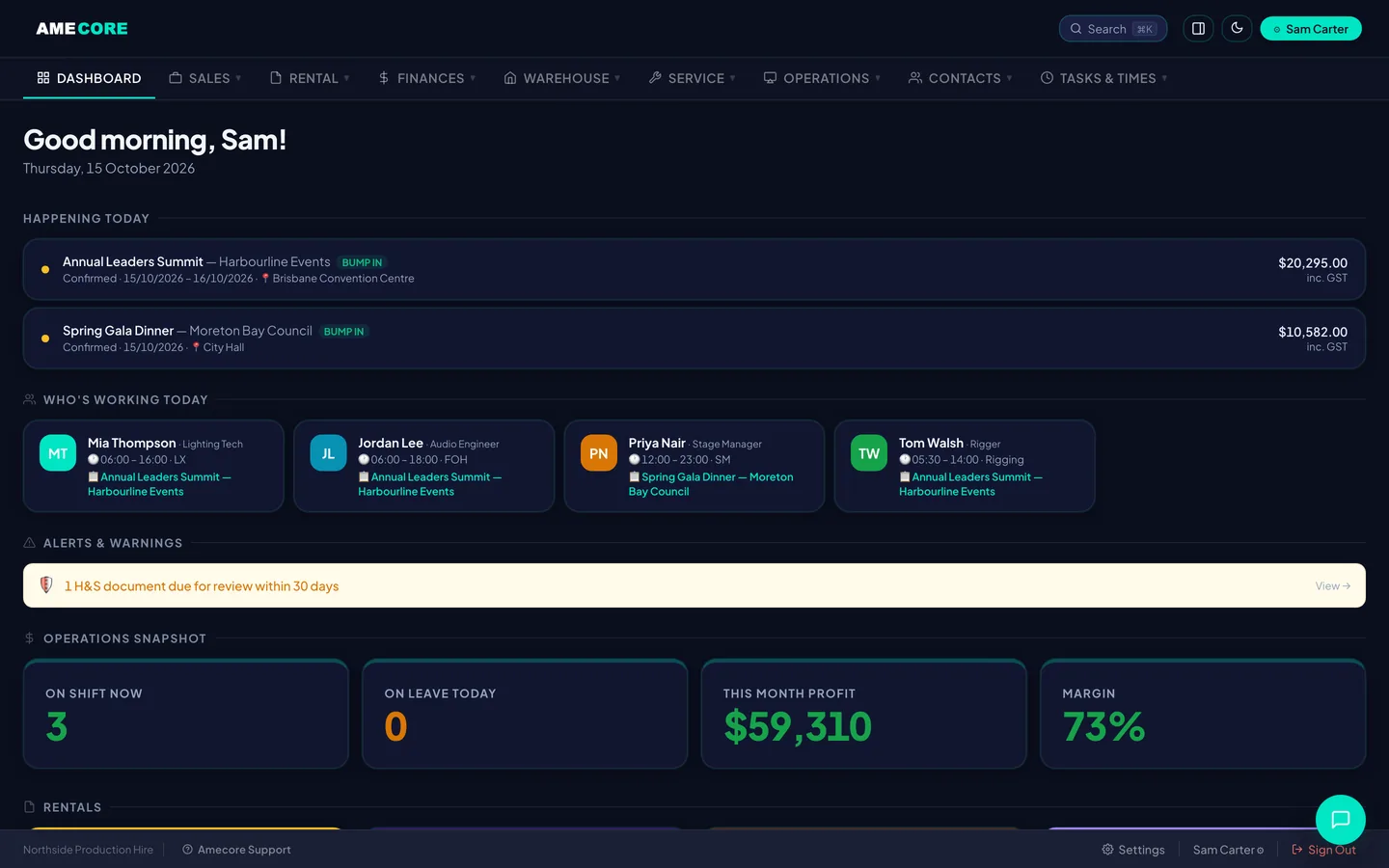
The Amecore dashboard showing today's jobs, crew rostered on, alerts and this month's profit
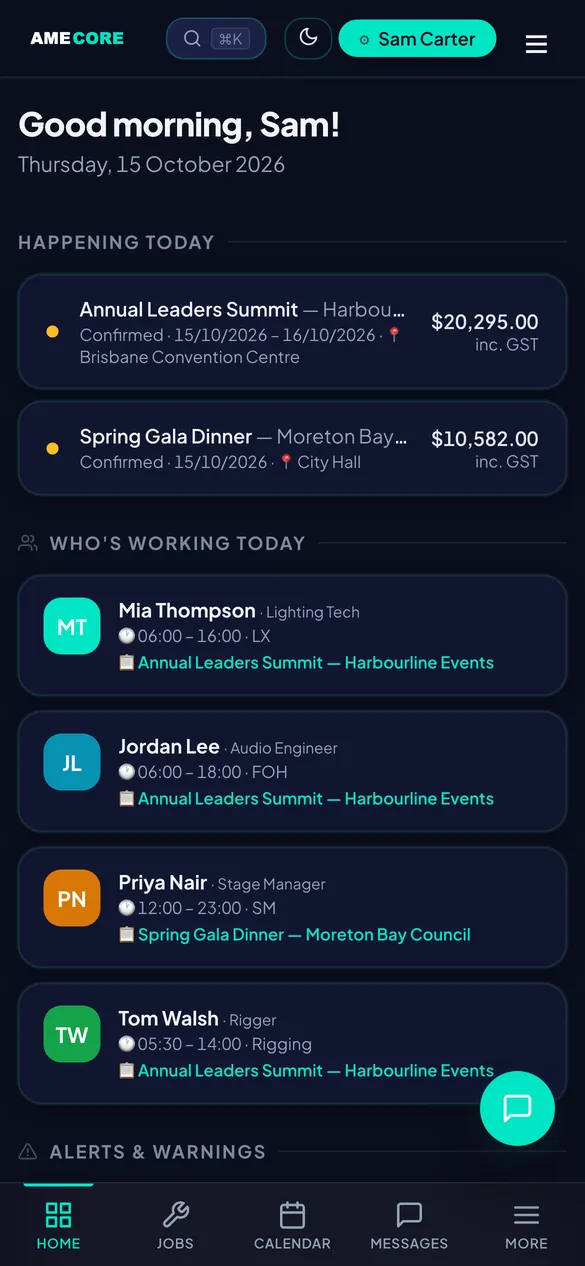
Amecore on a phone, showing the dashboard with a bottom tab bar
Two-way Xero syncItems, customers, invoices and expenses, with receipts attached.
Your own databaseEvery company runs on a separate database under its own subdomain.
Crew see the work, not the moneyCrew logins get their jobs, rosters and sign-offs. Prices stay in the office.
Switch on what you useSales, Rental, Operations and Service turn on and off per company.

See the real thing

These are Amecore's own screens. Pick a screen to look around.

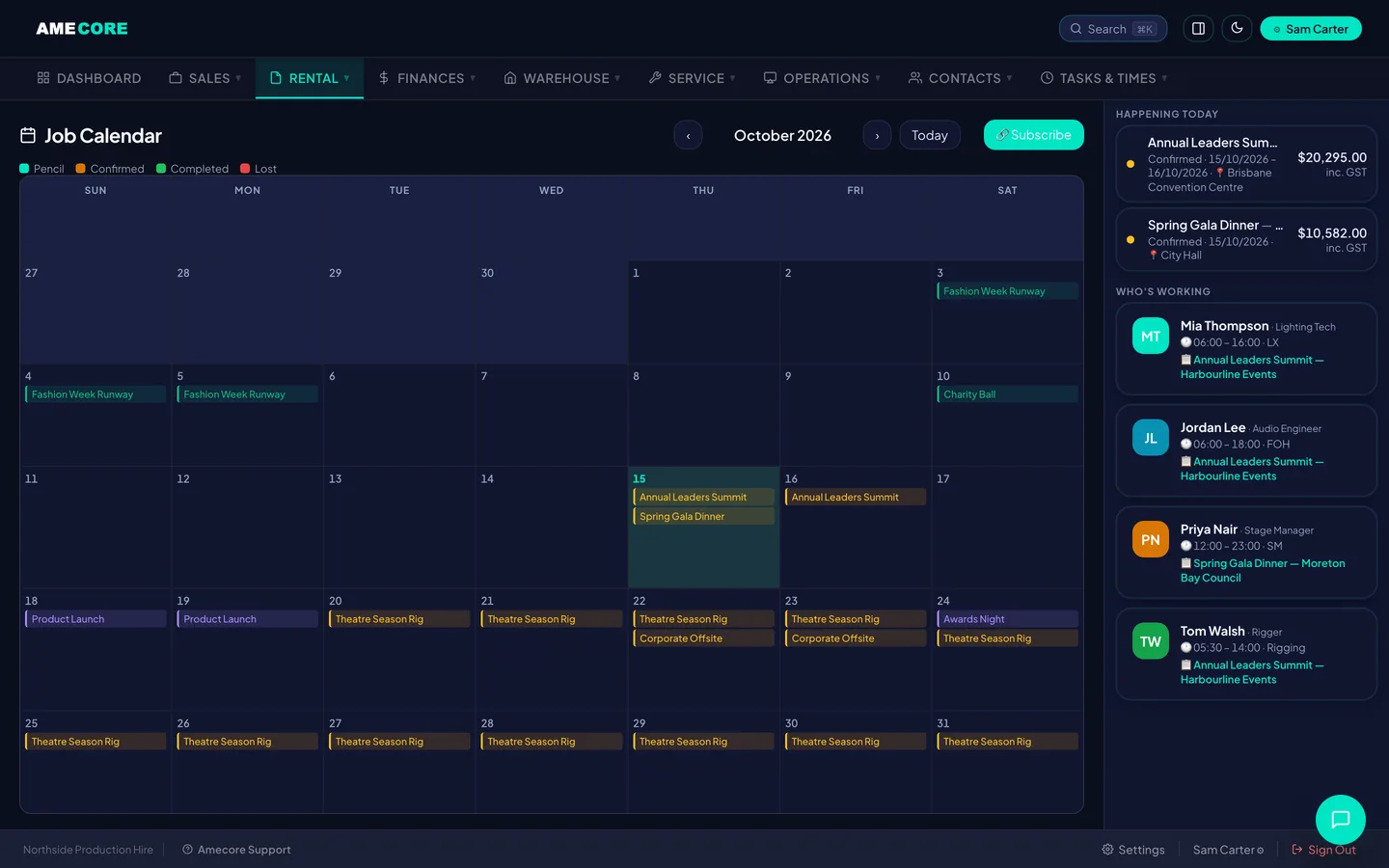
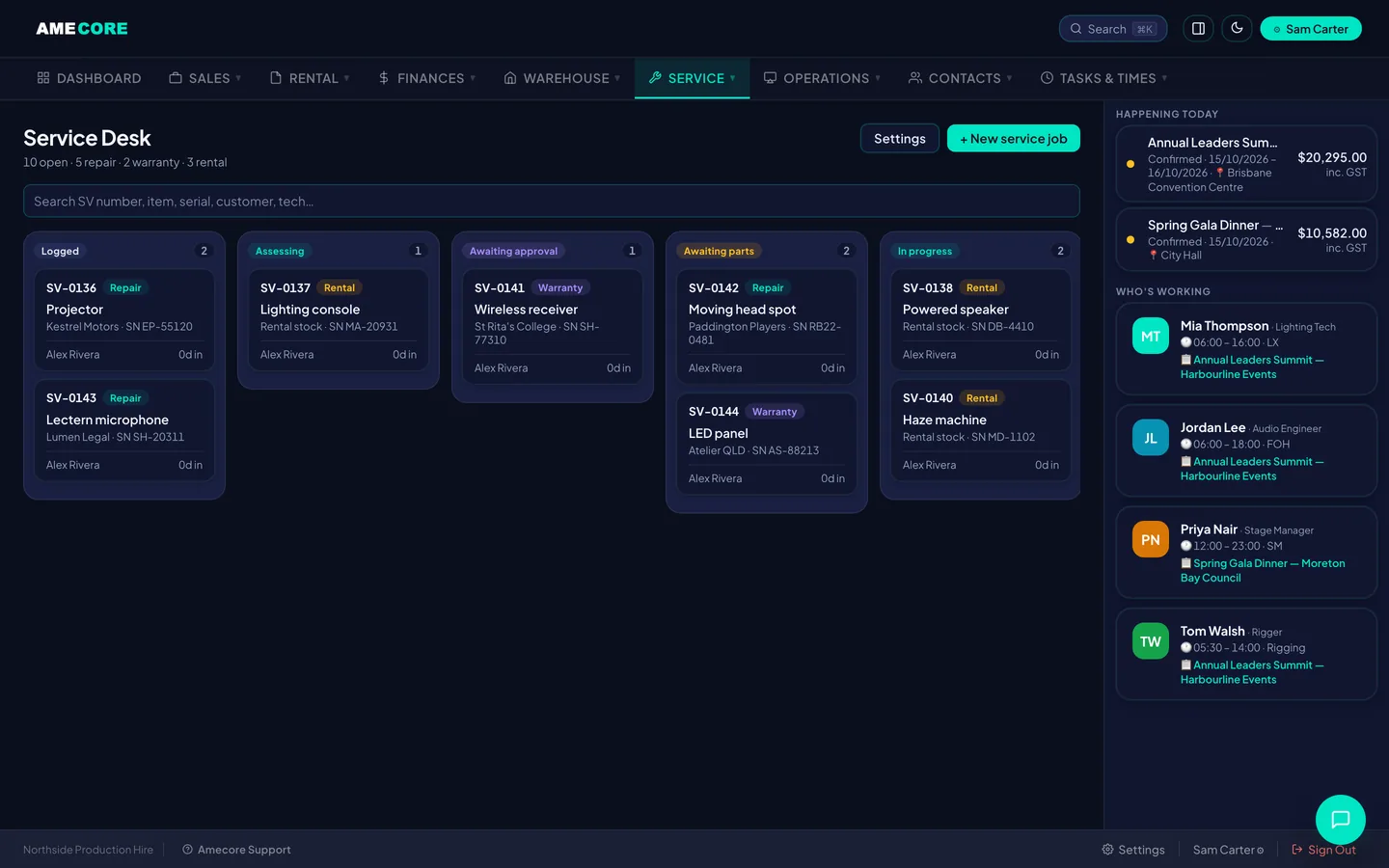
Dashboard with today's jobs, crew on shift, alerts and profit October job calendar with pencil, confirmed and completed jobs Service desk board with repair jobs grouped by status A service job on the quote and billing tab Expenses table with receipts and Xero status Test and tag units with last test and next due dates Health and safety documents with sign-off counts

Dashboard. Today's jobs, who is working, alerts and the month's numbers the moment you sign in.

One job, start to finish, without re-typing it

A quote becomes the prep list, the day sheet, the crew roster and the invoice. Every step reads from the same job, so a change in the office reaches the warehouse and the crew straight away.

  1. Step 1

    Quote

    Rental and sales quote builders with gear, crew and transport lines. Move jobs through pencil, heavy pencil and confirmed, and send the client a link to approve.

  2. Step 2

    Prep

    Picking slips and job prep that know which units are out for repair or overdue for test. Print flight case labels straight from the prep list.

  3. Step 3

    Deliver

    Day sheets with venue, crew, timings and the job links you choose. Rosters reach crew by email, push notification and their own calendar.

  4. Step 4

    Invoice

    Invoices build from the job with discounts and chargeable days intact, push to Xero, and feed a profit report for every job.

New in Amecore this year

A full repair workshop, expenses that land in Xero ready to reconcile, and the compliance records an audit asks for.

See them in the demo
Service module

Service and repairs

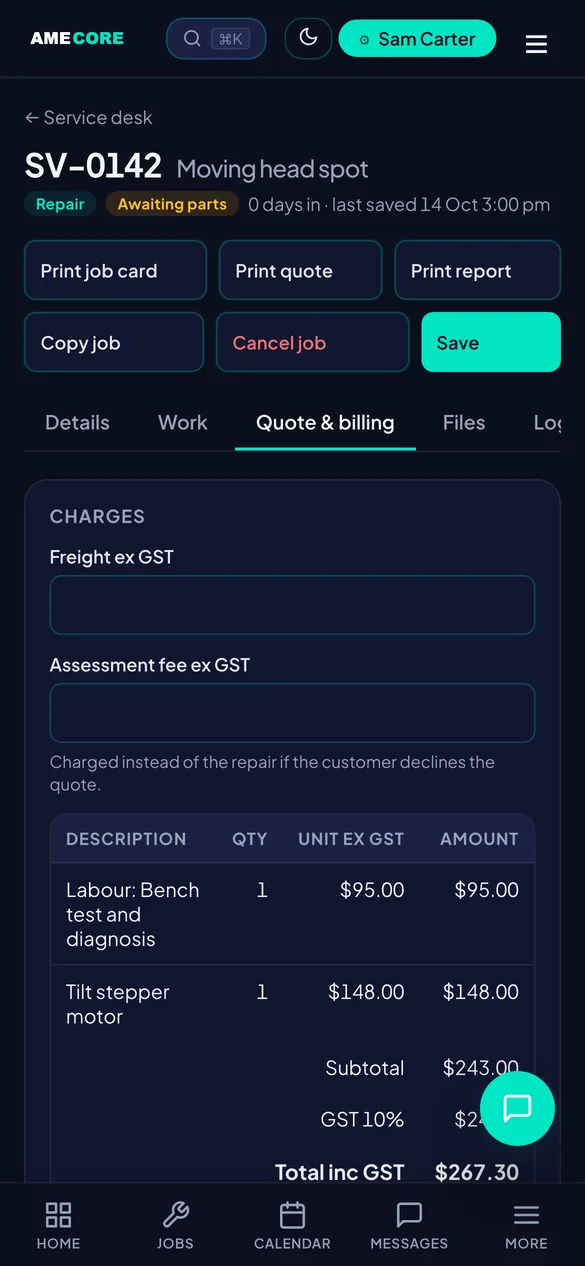
Log warranty jobs, customer repairs and repairs to your own hire stock. Quotes go out by email for the customer to approve online, technicians work their jobs from a phone, parts come out of stock, and several jobs can go on one invoice.
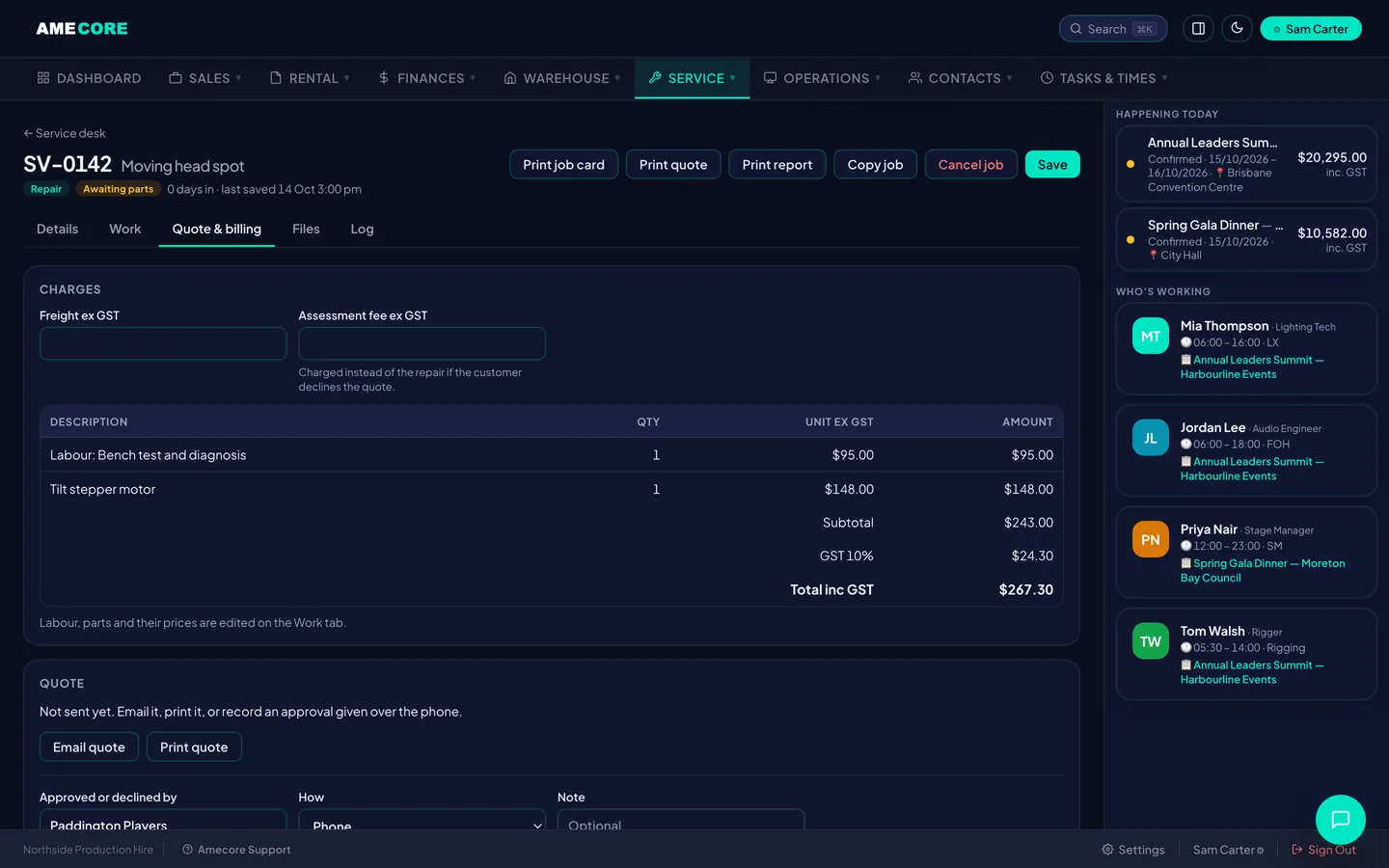
A service job showing labour, a part, GST and the quote total
Finances

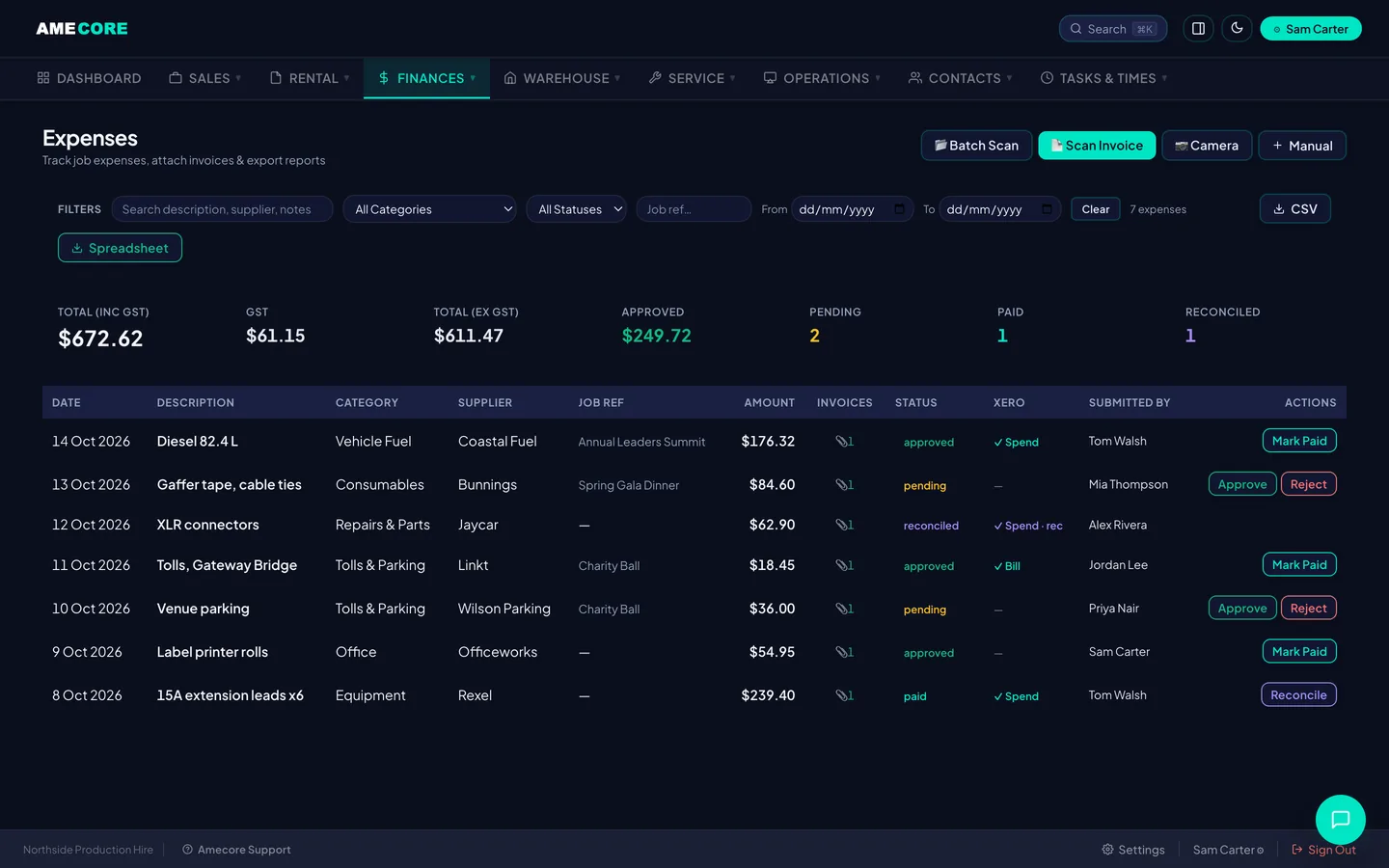
Expenses straight to Xero

Photograph a receipt and Amecore reads the supplier, date and amount for you. Once approved it goes to Xero as the spend money or bill your bank feed will match, with the receipt attached. Paid and reconciled status comes back on its own.

The expenses list with receipts attached and a Xero column showing spend, bill and reconciled
Warehouse

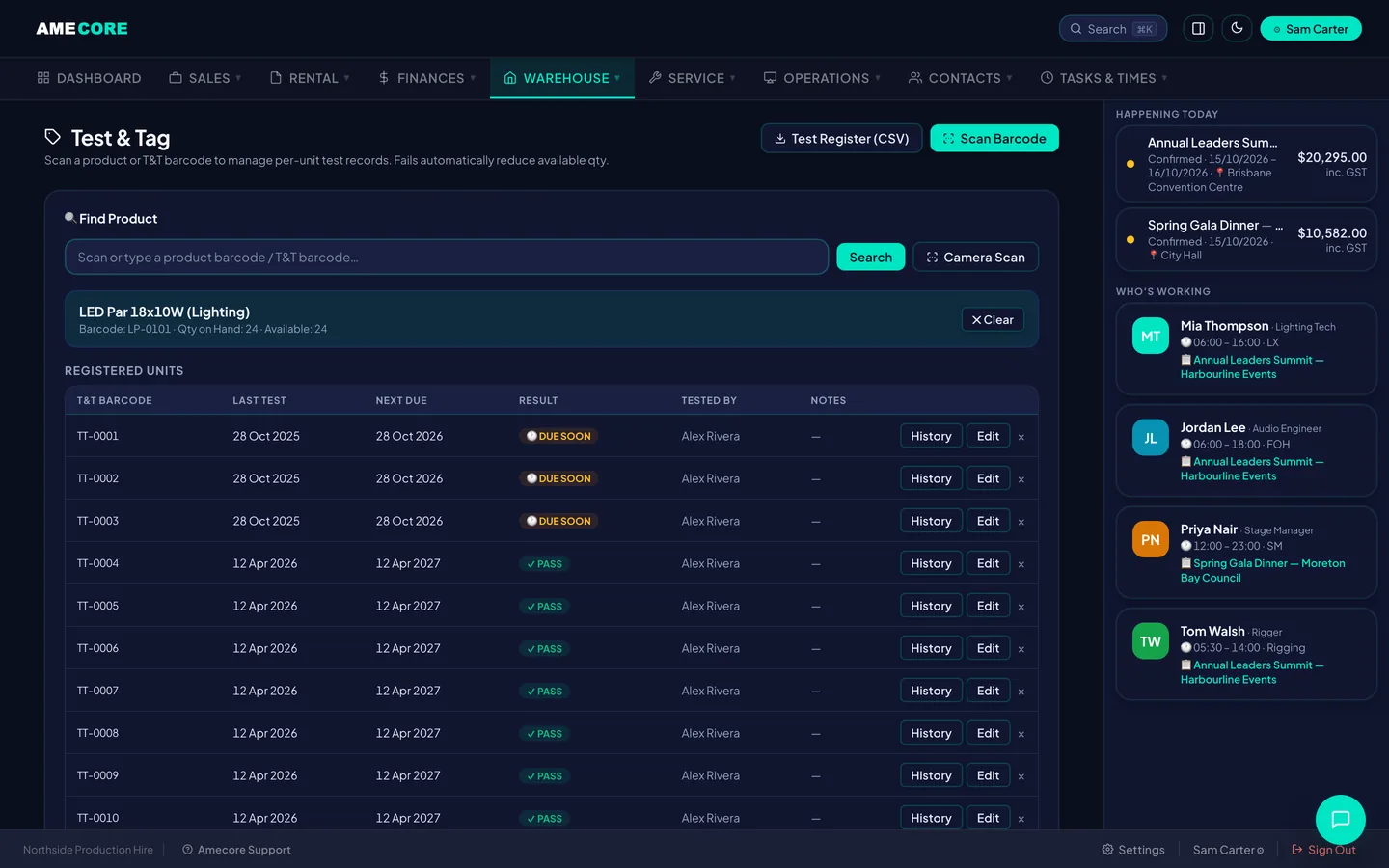
Test and tag register

Every test is kept as a permanent record, so you can show five years of history. Retest dates are tracked and failed units drop out of bookings until they are fixed.

Registered test and tag units with last test, next due date and pass or due soon results
Safety

Safety sign-off on the phone

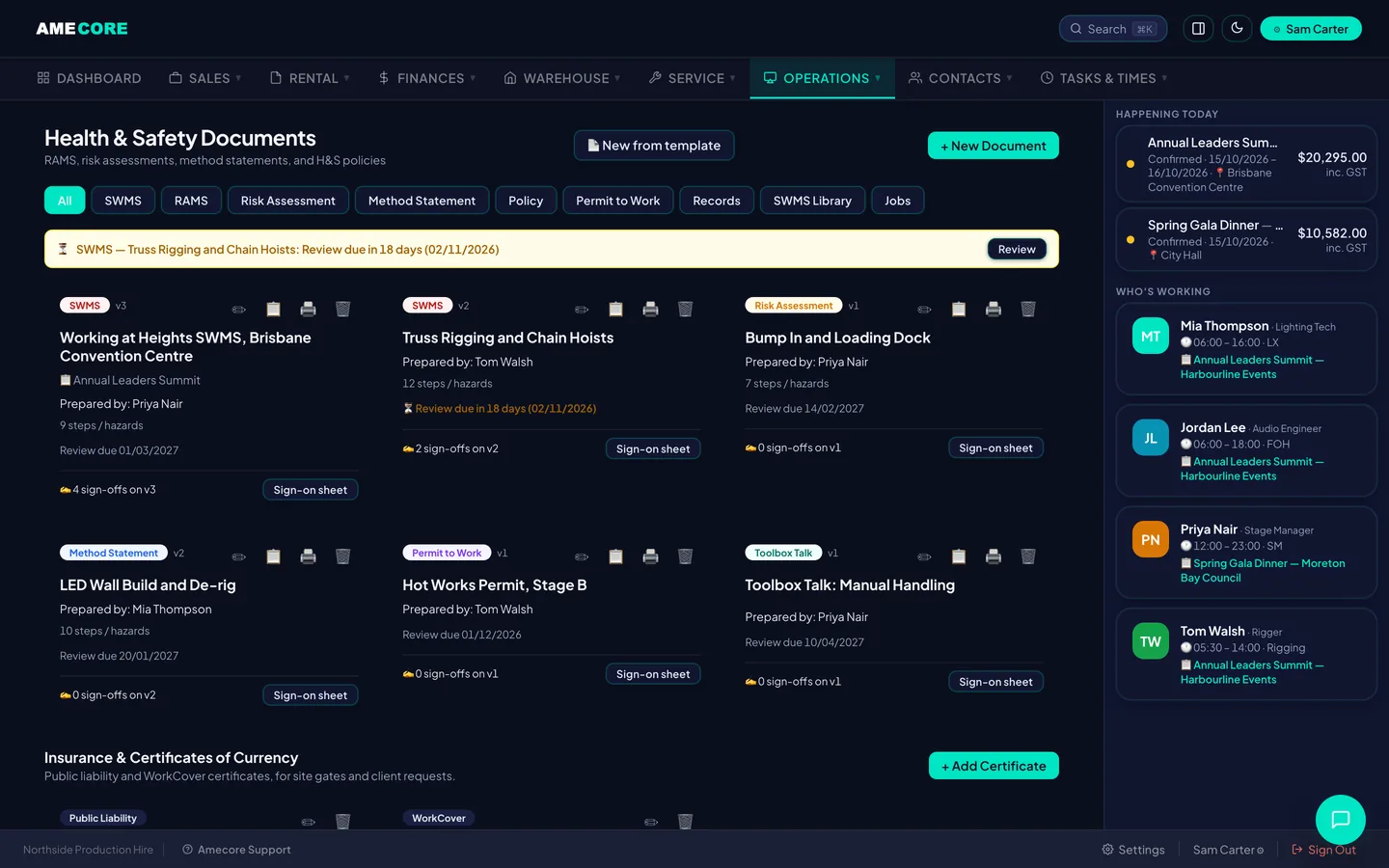
A SWMS library with task templates. Crew read and sign on site, each signature is time-stamped by the server, and certificates of currency are tracked to expiry.

Health and safety documents with version numbers, review dates and sign-off counts

Webstore sync

Paid online orders arrive as numbered sales invoices and stock levels are pushed back to the store.

Case and parcel labels

Flight case labels from job prep and parcel labels for sales orders, sized for 100 × 150 mm printers.

Files and links on every job

Files up to 100 MB or a linked Dropbox folder. Tick the ones crew need and they print on the day sheet.

Two-factor sign-in

Authenticator app codes on any account, with stored keys and tokens encrypted at rest.

The whole crew, on the phone they already carry

Add Amecore to the home screen and it opens like an app, with push notifications and a tab bar made for thumbs.

  • Rosters, day sheets and venue details for each shift
  • Clock in and out, with hours worked out for the timesheet
  • Read and sign the SWMS before work starts
  • Technicians update their own repair jobs, without seeing prices
  • Team messages and broadcasts
Phone dashboard with today's jobs and who is working
A service job open on a phone, on the quote and billing tab

Let AI do the typing

Four jobs that used to mean copying from a PDF or Email now take a single upload. Amecore uses AI, and you check every result before it is saved.

Schedule import

Drop in a production schedule and get the job dates, calls and venue filled in.

Transport details

Read freight quotes and bookings into the transport plan for the job.

Receipt reading

Pull the supplier, date, total and GST off a photo of a receipt.

Task assignment

Suggest who should pick up each task based on skills and who is free.

Everything in the box

Every plan includes every module. Pick an area to see what it covers.

Service

A full repair workshop for warranty jobs, customer repairs and your own fleet.

  • Service desk with job numbers assigned automatically
  • Parts and labour lines, with parts taken from stock
  • Quotes emailed for the customer to approve online
  • Technician view on the phone, without prices
  • Copy a job for repeat repairs
  • Claims, out-of-service list and service reports
  • Several jobs combined on one invoice

Works with the tools you already pay for

XeroInvoices, items, expenses
DropboxJob files and folders
CalendarsPersonal roster feeds
Your webstoreOrders and stock
Push alertsRosters and messages
EmailSent in your brand

Built to keep your records safe

  • A separate database per company. Your jobs and clients never share a table with anyone else's.
  • Roles that hold. Crew accounts are checked on the server, so prices, invoices and other people's timesheets stay out of reach.
  • Records you cannot quietly edit. Safety sign-offs and test results are only ever added to, with a reason kept for every correction.
  • Two-factor sign-in and encrypted keys. Xero, Dropbox and AI keys are encrypted where they are stored.
  • Automatic backups. Copies are kept off the server.

Pricing that grows with your team

One platform, priced on the size of your business, with no charge per module.

Starter

For small teams getting started

Contact us
for a quote
  • Rental and sales jobs
  • Crew rostering and timesheets
  • Xero integration
  • Client portal
  • Profitability reports
Get in touch

Professional

For growing hire and production companies

Contact us
for a quote
  • Everything in Starter
  • Service and repairs
  • Expenses to Xero with receipts
  • Safety documents and crew sign-off
  • Test and tag register
  • AI import tools
  • Priority support
Try the demo first

Enterprise

For several brands or sites

Custom
quoted to suit
  • Everything in Professional
  • Unlimited users
  • Several companies or brands
  • Webstore sync
  • Your own subdomain and branding
  • Dedicated onboarding
  • Custom module development
Talk to us

Common questions

Something else on your mind? Drop us and email

Do we need to install anything?

No. Amecore runs in the browser on any computer, tablet or phone, and can be added to a phone's home screen to open like an app with push notifications.

How does the Xero connection work?

You connect your own Xero organisation from Settings. Customers and items sync both ways, invoices push when a job is invoiced, and approved expenses arrive with their receipts attached. Rental and sales items stay in separate catalogues so codes never clash.

What can crew see?

Their own rosters, day sheets, tasks, timesheets, safety documents to sign and, for technicians, the repair jobs assigned to them. Prices, invoices and other people's hours are never sent to a crew login.

Can we turn off parts we don't use?

Yes. Sales, Rental, Operations and Service each switch on or off in Settings, and switched-off areas disappear from every menu, including on phones.

Can our clients log in?

Yes. The client portal lets them review and approve quotes, see shared files and follow their repairs, all under your branding.

See it with your own jobs

Book a walkthrough and we'll set up a quote, a roster and an invoice the way your team works. Or open the demo and explore on your own.

Open the live demo
We only use these details to reply to you. See our privacy policy.